

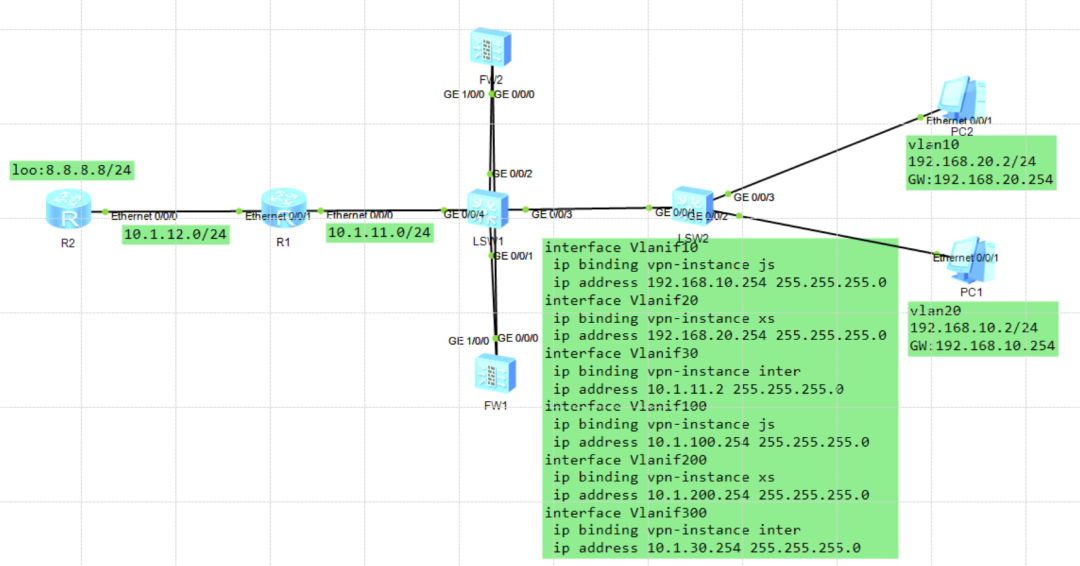
防火墙双机热备-VRF
sysname R2
interface Ethernet0/0/0
ip address 10.1.12.2 255.255.255.0
interface LoopBack0
ip address 8.8.8.8 255.255.255.0
ip route-static 192.168.0.0 255.255.0.0 10.1.12.1
ip route-static 192.168.0.0 255.255.0.0 NULL0
R1
sysname R1
interface Ethernet0/0/0
ip address 10.1.11.1 255.255.255.0
ospf enable 1 area 0.0.0.0
interface Ethernet0/0/1
ip address 10.1.12.1 255.255.255.0
ospf 1
default-route-advertise
area 0.0.0.0
ip route-static 0.0.0.0 0.0.0.0 10.1.12.2
SW1
sysname SW1
vlan batch 10 20 30 100 200 300
ip vpn-instance inter
ipv4-family
route-distinguisher 3:3
vpn-target 3:3 export-extcommunity
vpn-target 3:3 import-extcommunity
ip vpn-instance js
ipv4-family
route-distinguisher 1:1
vpn-target 1:1 export-extcommunity
vpn-target 1:1 import-extcommunity
ip vpn-instance xs
ipv4-family
route-distinguisher 2:2
vpn-target 2:2 export-extcommunity
vpn-target 2:2 import-extcommunity
interface Vlanif10
ip binding vpn-instance js
ip address 192.168.10.254 255.255.255.0
interface Vlanif20
ip binding vpn-instance xs
ip address 192.168.20.254 255.255.255.0
interface Vlanif30
ip binding vpn-instance inter
ip address 10.1.11.2 255.255.255.0
interface Vlanif100
ip binding vpn-instance js
ip address 10.1.100.254 255.255.255.0
interface Vlanif200
ip binding vpn-instance xs
ip address 10.1.200.254 255.255.255.0
interface Vlanif300
ip binding vpn-instance inter
ip address 10.1.30.254 255.255.255.0
interface MEth0/0/1
interface GigabitEthernet0/0/1
port link-type trunk
undo port trunk allow-pass vlan 1
port trunk allow-pass vlan 100 200 300
interface GigabitEthernet0/0/2
port link-type trunk
undo port trunk allow-pass vlan 1
port trunk allow-pass vlan 100 200 300
interface GigabitEthernet0/0/3
port link-type trunk
undo port trunk allow-pass vlan 1
port trunk allow-pass vlan 10 20
interface GigabitEthernet0/0/4
port link-type access
port default vlan 30
ospf 1 router-id 1.1.1.1 vpn-instance inter
vpn-instance-capability simple
area 0.0.0.0
network 10.1.11.0 0.0.0.255
network 10.1.30.0 0.0.0.255
ospf 2 router-id 1.1.1.1 vpn-instance js
vpn-instance-capability simple
area 0.0.0.0
network 192.168.10.0 0.0.0.255
network 10.1.100.0 0.0.0.255
ospf 3 router-id 1.1.1.1 vpn-instance xs
vpn-instance-capability simple
area 0.0.0.0
network 192.168.20.0 0.0.0.255
network 10.1.200.0 0.0.0.255
SW2
sysname SW2
vlan batch 10 20
interface GigabitEthernet0/0/1
port link-type trunk
undo port trunk allow-pass vlan 1
port trunk allow-pass vlan 10 20
interface GigabitEthernet0/0/2
port link-type access
port default vlan 10
interface GigabitEthernet0/0/3
port link-type access
port default vlan 20
FW1
sysname FW1
undo telnet server enable
undo telnet ipv6 server enable
hrp enable
hrp interface GigabitEthernet0/0/0 remote 192.168.0.2
hrp mirror session enable
hrp standby config enable
hrp track interface GigabitEthernet1/0/0
ip vpn-instance default
ipv4-family
interface GigabitEthernet0/0/0
undo shutdown
ip binding vpn-instance default
ip address 192.168.0.1 255.255.255.0
alias GE0/METH
interface GigabitEthernet1/0/0
undo shutdown
interface GigabitEthernet1/0/0.100
vlan-type dot1q 100
ip address 10.1.100.252 255.255.255.0
ospf enable 1 area 0.0.0.0
interface GigabitEthernet1/0/0.200
vlan-type dot1q 200
ip address 10.1.200.252 255.255.255.0
ospf enable 1 area 0.0.0.0
interface GigabitEthernet1/0/0.300
vlan-type dot1q 300
ip address 10.1.30.252 255.255.255.0
ospf enable 1 area 0.0.0.0
service-manage ping permit
firewall zone trust
set priority 85
add interface GigabitEthernet0/0/0
firewall zone untrust
set priority 5
add interface GigabitEthernet1/0/0.300
firewall zone dmz
set priority 50
firewall zone name js id 4
set priority 80
add interface GigabitEthernet1/0/0.100
firewall zone name xs id 5
set priority 82
add interface GigabitEthernet1/0/0.200
ospf 1 router-id 2.2.2.2
area 0.0.0.0
security-policy
rule name HA
source-zone local
destination-zone trust
action permit
rule name J-X
source-zone js
destination-zone xs
source-address 192.168.10.0 mask 255.255.255.0
destination-address 192.168.20.0 mask 255.255.255.0
action permit
rule name int
source-zone js
source-zone xs
destination-zone untrust
source-address 192.168.10.0 mask 255.255.255.0
source-address 192.168.20.0 mask 255.255.255.0
action permit
FW2
sysname FW2
undo telnet server enable
undo telnet ipv6 server enable
hrp enable
hrp interface GigabitEthernet0/0/0 remote 192.168.0.1
hrp mirror session enable
hrp standby config enable
hrp track interface GigabitEthernet1/0/0
ip vpn-instance default
ipv4-family
interface GigabitEthernet0/0/0
undo shutdown
ip binding vpn-instance default
ip address 192.168.0.2 255.255.255.0
alias GE0/METH
interface GigabitEthernet1/0/0
undo shutdown
interface GigabitEthernet1/0/0.100
vlan-type dot1q 100
ip address 10.1.100.253 255.255.255.0
ospf enable 1 area 0.0.0.0
interface GigabitEthernet1/0/0.200
vlan-type dot1q 200
ip address 10.1.200.253 255.255.255.0
ospf enable 1 area 0.0.0.0
interface GigabitEthernet1/0/0.300
vlan-type dot1q 300
ip address 10.1.30.253 255.255.255.0
ospf enable 1 area 0.0.0.0
service-manage ping permit
firewall zone trust
set priority 85
add interface GigabitEthernet0/0/0
firewall zone untrust
set priority 5
add interface GigabitEthernet1/0/0.300
firewall zone dmz
set priority 50
firewall zone name js id 4
set priority 80
add interface GigabitEthernet1/0/0.100
firewall zone name sx id 5
firewall zone name xs id 6
set priority 82
add interface GigabitEthernet1/0/0.200
ospf 1 router-id 3.3.3.3
area 0.0.0.0
security-policy
rule name J-X
source-zone js
destination-zone xs
source-address 192.168.10.0 mask 255.255.255.0
destination-address 192.168.20.0 mask 255.255.255.0
action permit
rule name int
source-zone js
source-zone xs
destination-zone untrust
source-address 192.168.10.0 mask 255.255.255.0
source-address 192.168.20.0 mask 255.255.255.0
action permit
三、实验验证测试
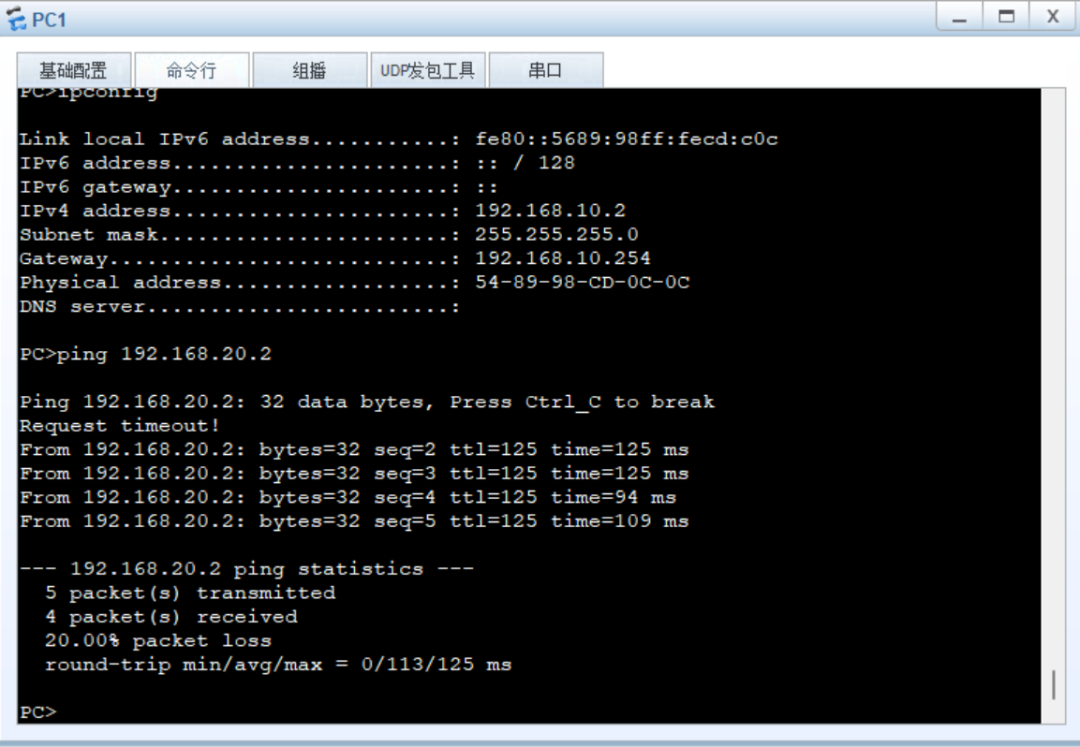
pc1可以ping通pc2
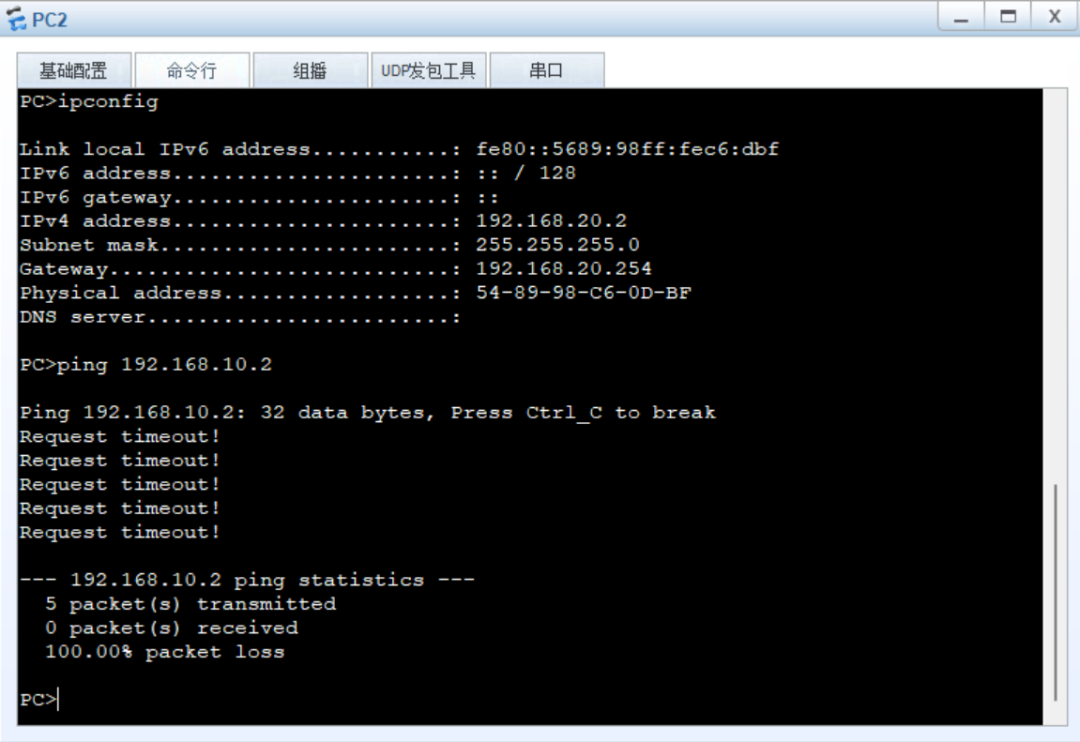
根据需求销售部pc2不能访问技术pc1。
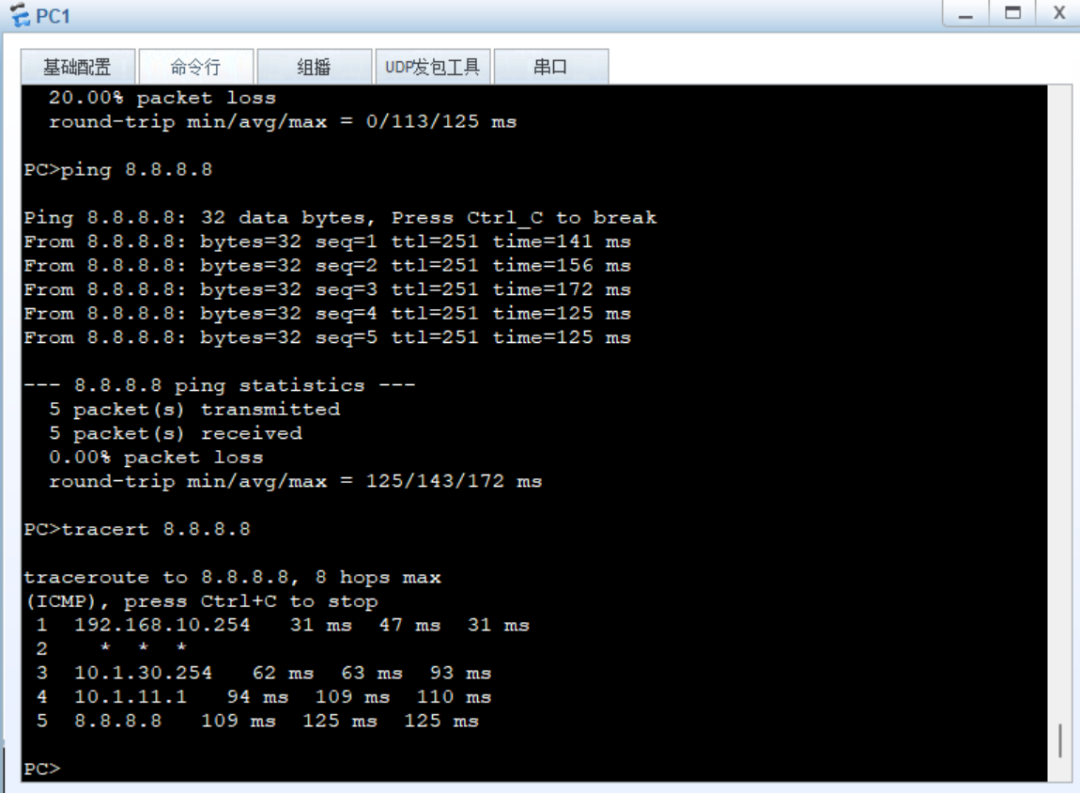
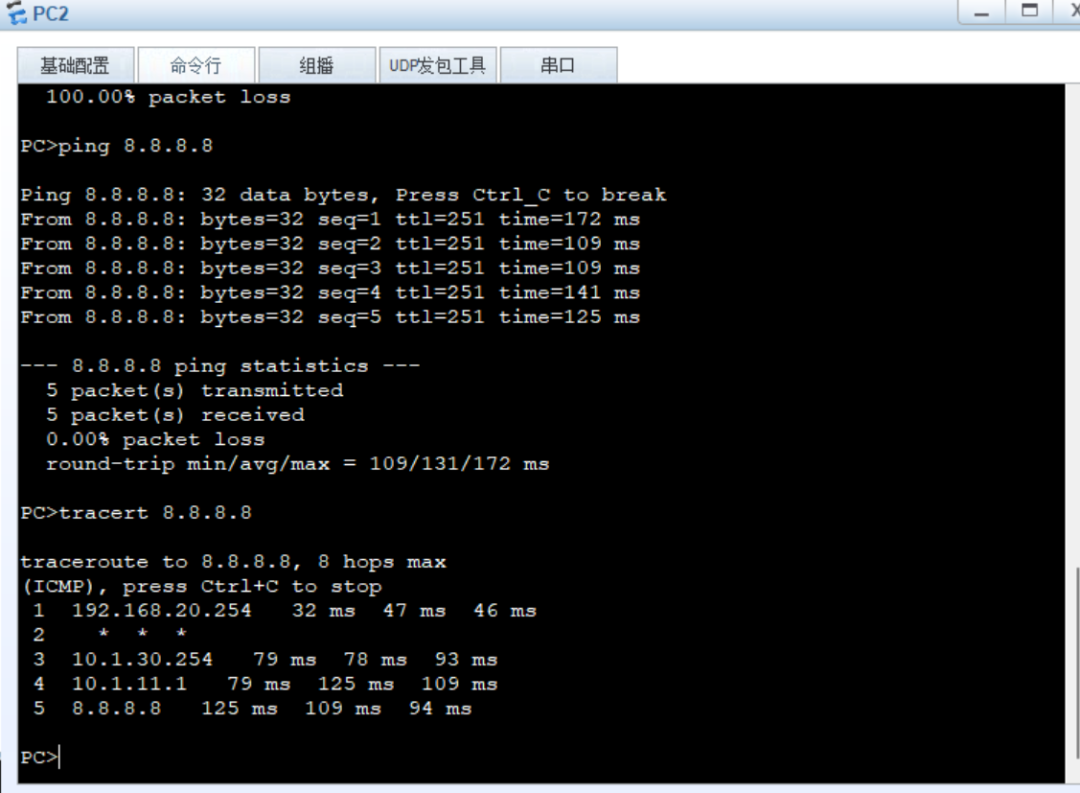
技术部和销售部都可以访问互联网。
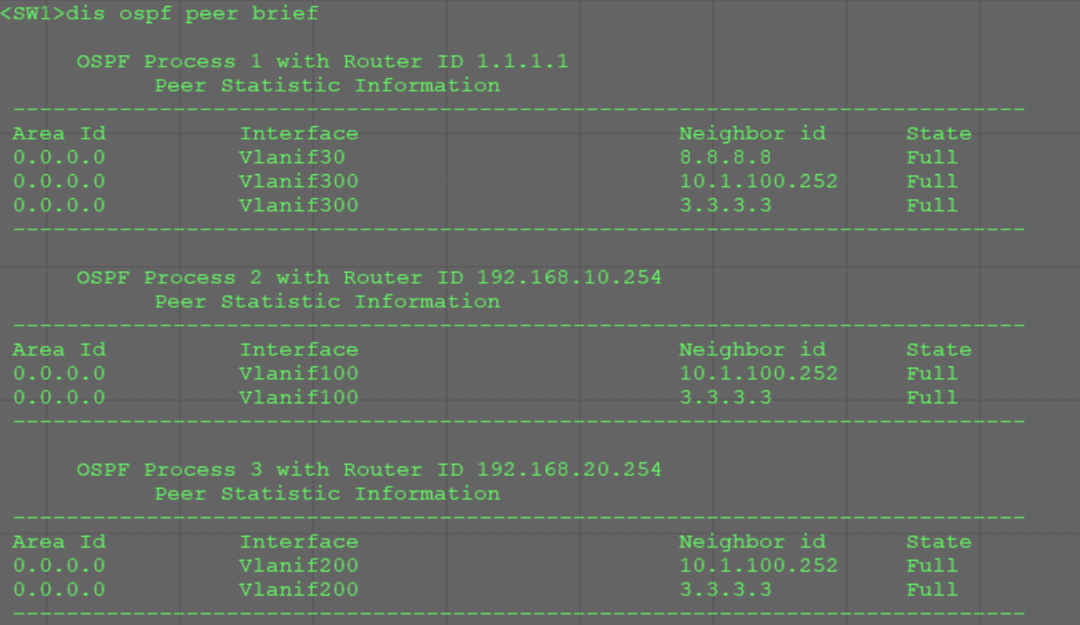
SW1分别和FW1/FW2建立邻居关系。
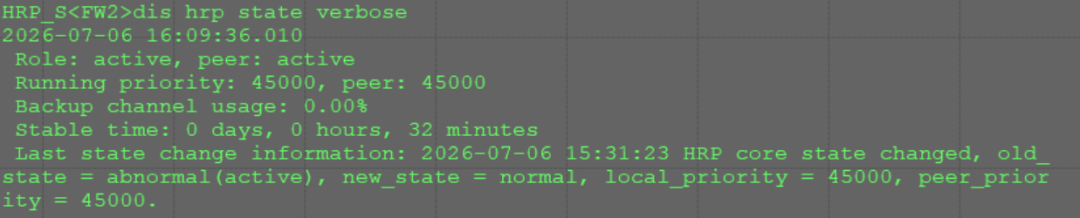
查看HRP状态为负载模式
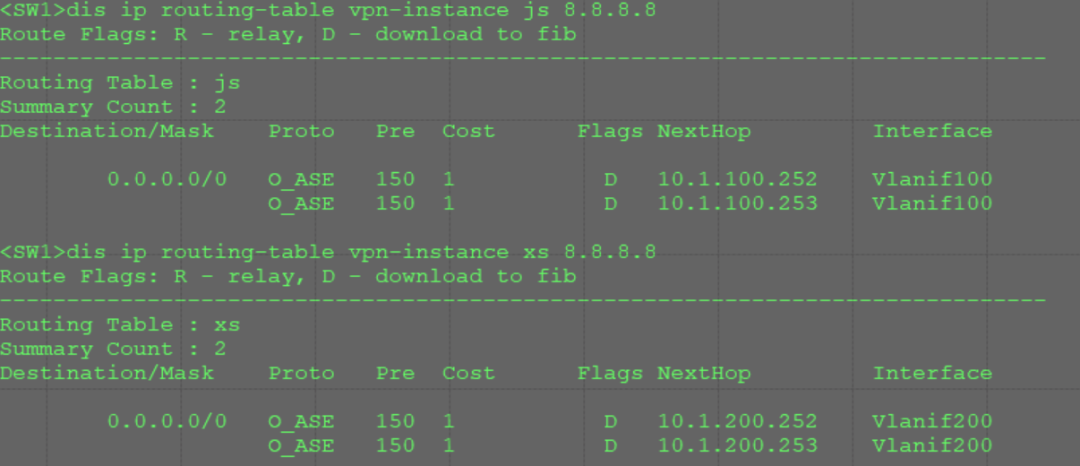
SW1查看技术部和销售部访问外网路由,有两条等价路由,分别指向FW1,FW2。
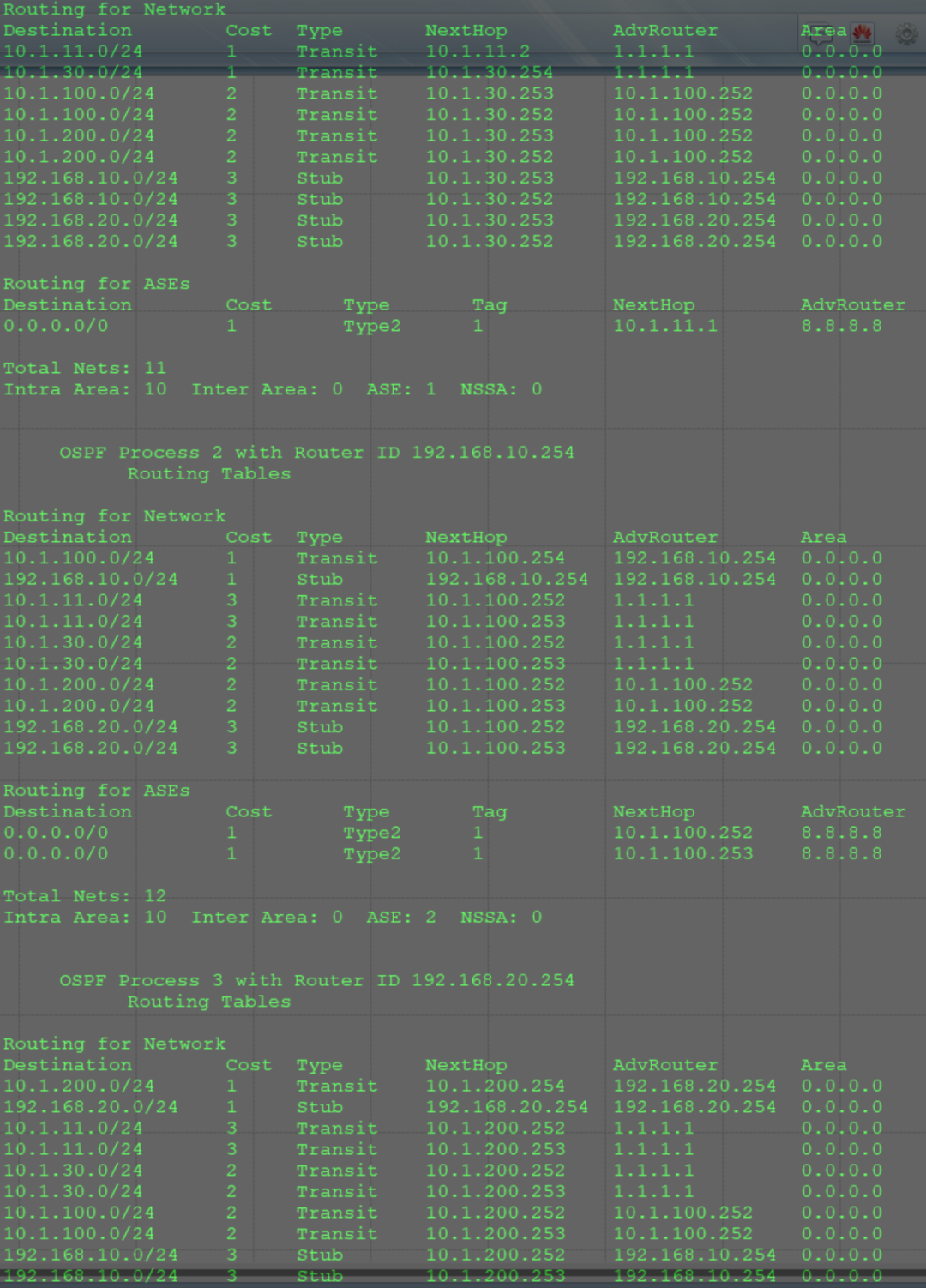
上图为路由信息;此实验是项目中常见的环境场景哦~喜欢同学的可以参考。